SharePoint is an extremely powerful tool that enables collaboration across teams and organizations, but it also poses a significant security risk if not properly configured. With millions of users accessing SharePoint sites every day, it’s crucial to implement best practices for access control to ensure sensitive information remains secure.
These SharePoint Apps to enhance security and governance of data within SharePoint. Then read about best practices, features and tips.


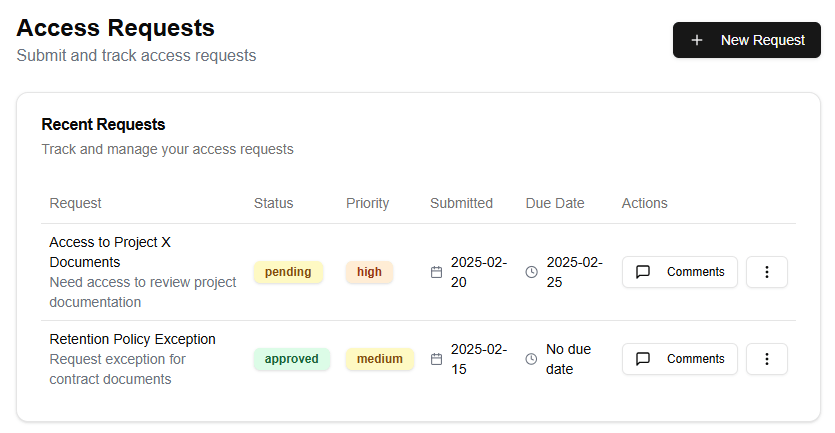

First and foremost, it’s essential to define roles and permissions within your organization. This will enable you to assign specific tasks and responsibilities to individual team members or groups. SharePoint provides several features that can be used to manage access control, including:
- Site permissions: These dictate what actions users can perform on a site, such as creating new documents, editing existing ones, or deleting files.
- List permissions: These control the level of access users have to specific lists, such as being able to view, edit, or delete items within the list.
- Library permissions: Similar to list permissions, these dictate what actions users can perform on a library, including creating new documents, editing existing ones, or deleting files.
When assigning permissions, it’s crucial to strike a balance between granting enough access for employees to do their jobs effectively and minimizing the risk of unauthorized access. SharePoint provides several features that can help with this, including:
- User profiles: These provide detailed information about individual users, including their job title, department, and other relevant details.
- Groups: These enable you to group similar employees together based on common characteristics, such as job function or department.
By utilizing these features, you can create custom permission levels that reflect the specific needs of your organization. For example, you might create a “Manager” role that grants access to view and edit reports, but not delete files.
Another critical aspect of SharePoint security is setting up site-level permissions. This enables you to dictate what actions users can perform on an entire site, including creating new sites, editing existing ones, or deleting sites. Site-level permissions can be set to allow or deny specific actions, such as:
- Viewing a site’s contents
- Creating new documents
- Editing existing documents
- Deleting files
By setting up site-level permissions, you can ensure that users are only able to access and modify the content they’re authorized to see.
In addition to these features, SharePoint provides several other security-related tools that can be used to enhance access control. These include:
- Auditing: This feature enables you to track user activity within your SharePoint sites, including what actions were performed, when they were performed, and by whom.
- Alerts: These enable you to receive notifications when specific events occur, such as a file being deleted or modified.
- Reporting: This feature provides detailed reports on user activity, allowing you to identify potential security risks and take action to mitigate them.
By implementing these best practices and utilizing SharePoint’s built-in features for access control, you can ensure that your organization’s sensitive information remains secure.
SharePoint provides robust access control capabilities to ensure that only authorized users can view, edit or manage content within your organization’s intranet. Here are some best practices for security and the key features to use within SharePoint.
Access Control Lists (ACLs)
The first step in securing your SharePoint site is to create an Access Control List (ACL) for each library or list where you want to control access. An ACL defines which users or groups can view, edit or contribute content to a specific location. You can create an ACL by going to the library or list settings and clicking on the “Permissions” tab.
Roles-Based Security
SharePoint allows you to define roles that can be assigned to users or groups. Roles provide a way to grant similar permissions to multiple users without having to manage individual permissions for each user. For example, you can create a role called “Contributor” that grants editing and commenting privileges on certain libraries or lists.
Use SharePoint’s Built-in Permissions
SharePoint provides a range of built-in permissions that you can use to control access to your site. These include:
- Read: allows users to view content
- Edit: allows users to edit content
- Contribute: allows users to add new items and edit existing ones
- Full Control: grants full control over the library or list
Use SharePoint’s Groups Feature
SharePoint allows you to create custom groups that can be used to manage permissions. You can create a group for each department or team within your organization, and then assign permissions to those groups.
Configure Site Columns and Content Types
Site columns and content types are used to define the structure of your SharePoint site. By configuring these correctly, you can ensure that users have the correct permissions to view and edit specific types of content.
Use SharePoint’s Audit Log Feature
The audit log feature in SharePoint allows you to track all changes made to your site. This is useful for auditing purposes and for identifying any potential security breaches.
Best Practices for Security
Here are some best practices for securing your SharePoint site:
- Always use strong passwords and keep them confidential
- Use two-factor authentication to add an extra layer of security
- Keep your SharePoint site up-to-date with the latest patches and updates
- Monitor your site’s audit log regularly to identify any potential security breaches
- Limit access to sensitive information to only those who need it
In conclusion, SharePoint provides a range of features that you can use to secure your site. By following these best practices and configuring your site correctly, you can ensure that your organization’s sensitive information is protected from unauthorized access.