SharePoint Access Control Policies provide a powerful way to manage permissions and control access to your SharePoint sites, lists, libraries, and folders. With SharePoint, you can create custom policies that govern who can do what with your content.
These SharePoint Apps to enhance security and governance of data within SharePoint. Then read about best practices, features and tips.


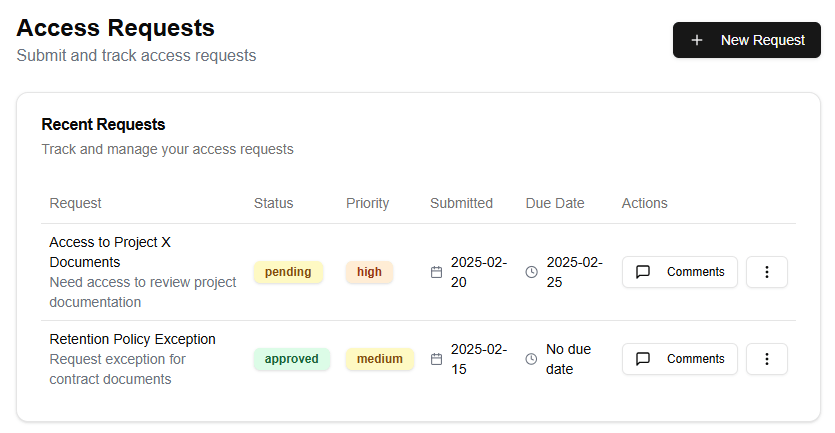

Understanding SharePoint Access Control Policies
SharePoint Access Control Policies are sets of rules that define what actions a user or group can perform on a specific resource. You can apply these policies to sites, lists, libraries, folders, or even individual items. Each policy has a unique set of permissions and conditions that determine who can access the content.
Best Practices for Security
To ensure your SharePoint content is secure, follow these best practices:
- Use Groups: Instead of assigning permissions directly to individuals, use groups to simplify permission management. Create groups based on roles or departments and add users to those groups as needed.
- Apply Policies: Apply access control policies consistently across your SharePoint sites and resources. This ensures that all content is governed by a standard set of rules.
- Use Conditional Formatting: Use conditional formatting to display important information, such as expired documents or pending approvals, in a prominent manner.
- Limit Permissions: Limit permissions to the minimum required for each role. Avoid over-privileging users, as this can create security risks.
- Monitor and Audit: Regularly monitor and audit your SharePoint sites and resources to detect any unauthorized access or changes.
Key Features to Use
To effectively manage access control policies in SharePoint, use these key features:
- Access Control Lists (ACLs): Use ACLs to define permissions for individual items, such as documents, images, or videos.
- SharePoint Groups: Create and manage groups to simplify permission management and reduce administrative burdens.
- Policy-Based Management: Leverage policy-based management to apply consistent policies across your SharePoint sites and resources.
- Auditing and Reporting: Use auditing and reporting features to track access and changes made to your SharePoint content.
- Customizable Policy Types: Create custom policy types to accommodate specific business needs, such as workflow-driven approvals or document retention schedules.
Conclusion
SharePoint Access Control Policies provide a robust way to manage permissions and control access to your SharePoint sites, lists, libraries, and folders. By following best practices for security and utilizing the key features discussed above, you can ensure that your SharePoint content is protected and governed by a standard set of rules.