SharePoint site security is crucial in today’s digital age where sensitive information and data are being shared online. As a SharePoint administrator or manager, it’s essential to implement robust security measures to protect your environment from unauthorized access, malicious attacks, and data breaches.
These SharePoint Apps to enhance security and governance of data within SharePoint. Then read about best practices, features and tips.


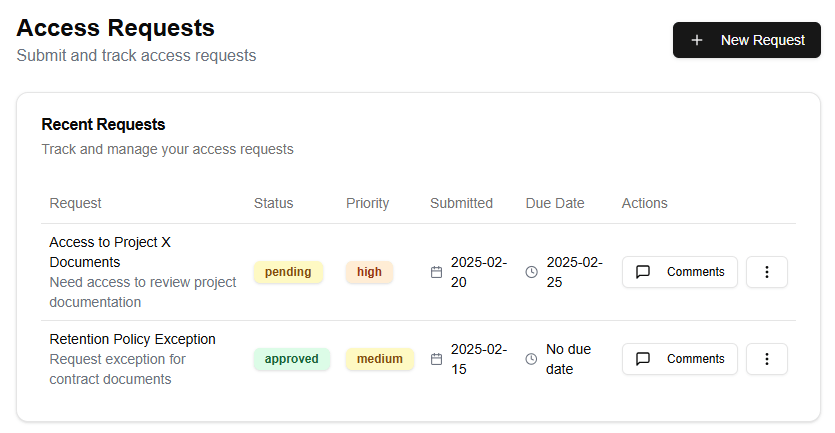

Here are some best practices for securing your SharePoint site and the features to use within SharePoint:
- Set up authentication: Ensure that all users authenticate before accessing your SharePoint site. You can set up Windows Authentication or Forms-Based Authentication.
- Use permissions: Grant specific permissions to users based on their roles and responsibilities. This ensures that sensitive information is only accessible to authorized personnel.
- Restrict access: Limit access to specific sites, libraries, or folders by creating permission levels and assigning them to groups or individual users.
- Implement auditing: Monitor user activity within your SharePoint site by enabling auditing. This helps you track changes made to content, including who made the change and when it was done.
- Encrypt sensitive data: Protect sensitive information such as financial reports, HR documents, or customer data by encrypting them using SharePoint’s built-in encryption features.
- Keep software up-to-date: Regularly update your SharePoint software, including patches, service packs, and security updates to ensure you have the latest security fixes.
- Use SharePoint’s security features: Leverage SharePoint’s built-in security features such as:
- Site Collection Administration: Allows site collection administrators to manage permissions, settings, and other site-level configurations.
- Site Settings: Provides options for customizing site-level settings, including permissions, layouts, and navigation.
- Permissions: Enables you to set up permission levels for users and groups based on specific roles and responsibilities.
- Content Approval: Requires content authors to have their work approved by designated approvers before it becomes visible to the public.
- Use third-party security tools: Integrate SharePoint with other security solutions such as identity management software, data loss prevention tools, or antivirus software to provide an additional layer of protection.
- Monitor user behavior: Keep a close eye on user activity and behavior within your SharePoint site by tracking login attempts, file access, and content changes.
- Conduct regular security audits: Perform regular security audits to identify potential vulnerabilities and ensure that your SharePoint site remains secure and compliant with regulatory requirements.
By following these best practices and utilizing the built-in security features within SharePoint, you can create a robust security environment that protects sensitive information, prevents data breaches, and ensures compliance with regulatory requirements.