SharePoint Version Control Policies are essential for ensuring that content is properly managed and tracked throughout its lifecycle.
To enhance the core SharePoint versioning history features, check out the following custom developed SharePoint web parts and then read more about version policy best practices and features below.
Version History Manager Web Part
The Version History web part displays all versions of a file.

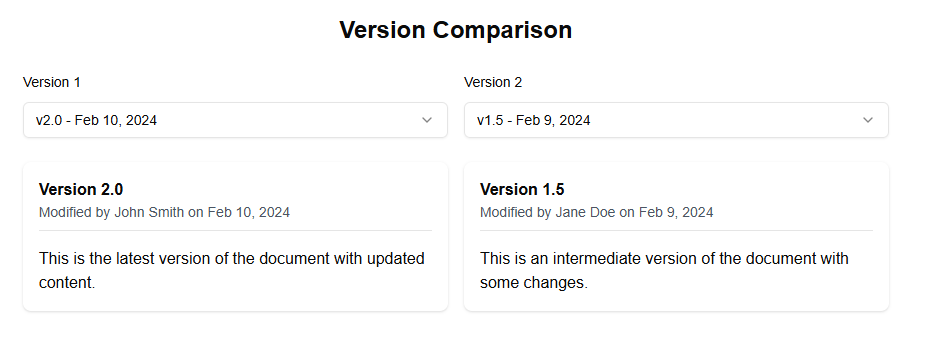
Version Comparison Web Part
The Version Comparison web part allows you to compare two versions of a document.
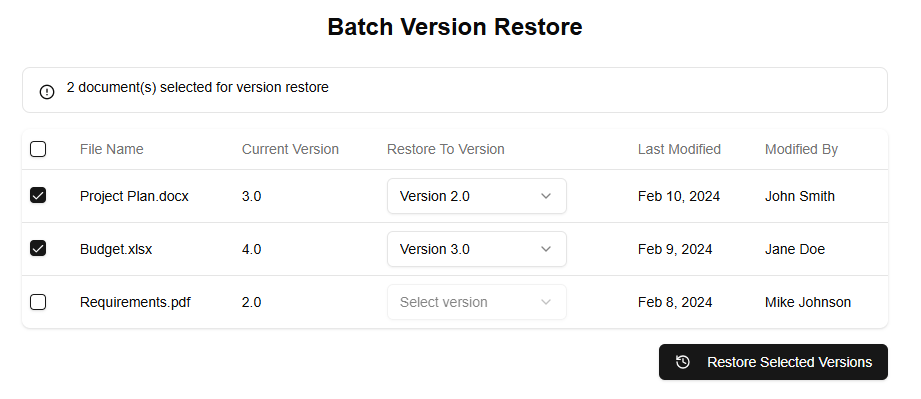
Version Batch Operations Web Part
The Batch Version Restore web part allows you to restore multiple files to previous versions at once.
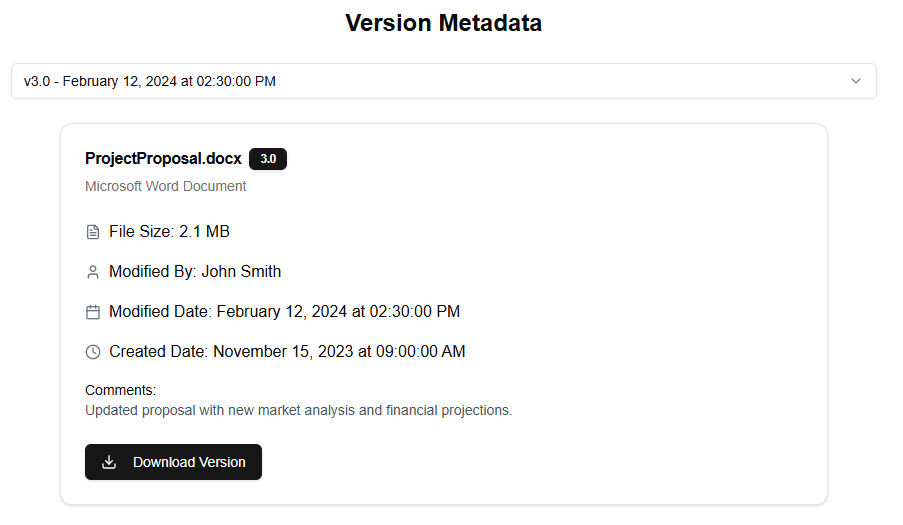
Version Detailed Metadata Web Part
The Version Detailed Metadata web part displays detailed information about a specific version of a file.
Here are some best practices for implementing version control policies in SharePoint:
- Define a clear policy: Establish a clear policy for version control, including what types of content will be tracked, how often versions will be updated, and who is responsible for updating the versions.
- Use SharePoint’s built-in versioning feature: SharePoint has a built-in versioning feature that allows you to track changes to documents and other content items. This feature can be enabled at the site level or at the library level.
- Set up automatic versioning: Automatic versioning is a powerful feature in SharePoint that allows you to automatically update versions of documents as they are edited. This ensures that all changes to content are tracked, even if multiple people are editing the same document simultaneously.
- Use check-in/check-out: The check-in/check-out feature in SharePoint allows you to lock down files so that only one person can edit them at a time. This prevents conflicts and ensures that changes are properly tracked.
- Set up approval workflows: Approval workflows allow you to create a workflow for approving or rejecting changes to content. This ensures that all changes to content are reviewed and approved before they become live.
- Use SharePoint’s built-in audit log: The audit log in SharePoint tracks all changes made to content, including who made the change, when it was made, and what the change was. This provides a clear record of all activity related to content.
- Set up notifications: Notifications can be set up in SharePoint to alert stakeholders when new versions of content are available or when changes have been made to existing content.
- Use SharePoint’s built-in search feature: The search feature in SharePoint allows you to quickly find and retrieve specific versions of content. This makes it easy to locate previous versions of documents, for example, if they need to be referred back to later.
- Set up permissions: Permissions can be set up in SharePoint to control who has access to different versions of content. This ensures that only authorized personnel have access to sensitive or confidential information.
- Document the process: Finally, it’s essential to document the version control policy and procedures used in SharePoint. This ensures that all stakeholders understand how the system works and can follow best practices for content management.
Some of the key features to use within SharePoint include:
- Versioning: Enables tracking of changes to documents and other content items.
- Check-in/check-out: Allows locking down files so that only one person can edit them at a time.
- Approval workflows: Creates a workflow for approving or rejecting changes to content.
- Audit log: Tracks all changes made to content, including who made the change, when it was made, and what the change was.
- Notifications: Alerts stakeholders when new versions of content are available or when changes have been made to existing content.
- Search: Allows quick finding and retrieval of specific versions of content.